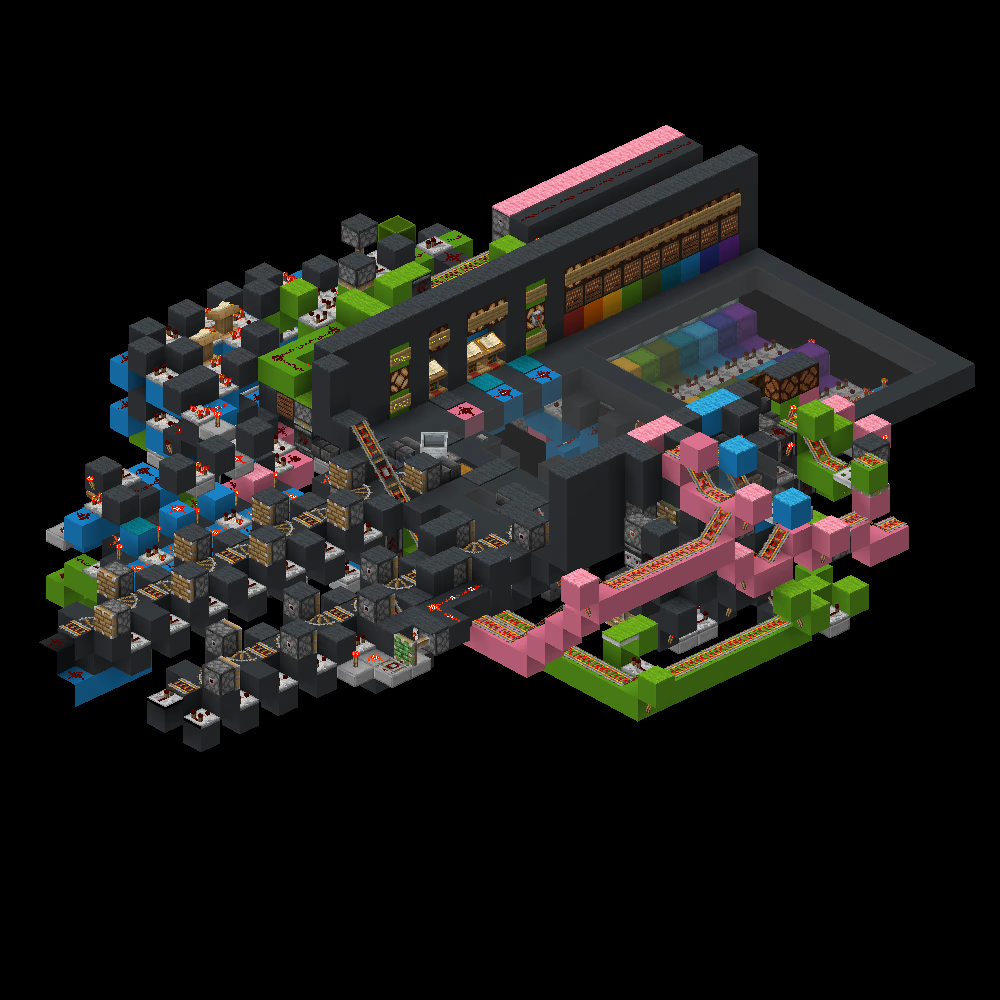
WaveTech Piston Bolt Network
[object Object]
- Piston Bolt
- 1.19+
- Advanced
Positives
-
Point-to-point (P2P): hubless, can go directly from any station to any station
-
Fixed routing: consistent addresses at all stations
-
Extra hexit for additional data and automation
-
Stacked minecart compatible
-
Full speed
-
Selector panel and manual code input UI for all stations
-
Cart integration for all stations
-
Auto cart launching for all stations
-
Prevents cart launch while changing settings to allow safe addressing
-
Underfloor wiring
-
Intersection collision prevention: when two carts enters an intersection, one will pause to let the other through
Instructions
Notes
-
Watch the video and read the user guide (https://cdn.discordapp.com/attachments/1315522702492172300/1434952071341281382/Wave_Bolt_User_Guide.pdf) for further instructions.
Build
-
Straight bolt flying machine instructions:
-
Use the lane splitter to split a 6 wide strip of blocks into two 3 wide strips.
-
Place the rails alternating between powered and normal.
-
Build and run the rail curver.
-
Run the block pusher to form the gaps to place the repeaters and comparators. Ensure this is offset to line up with the intersections,
-
Diagonal bolt flying machine instructions:
-
Place a flat 4 wide diagonal strip of blocks two layers lower than the y-level of the rails.
-
Build and run the rail curver.
-
Fill in the blocks for the dust to be placed on on either side.
-
Panel encoding: Add items to the shulker boxes to get different signal strengths corresponding to the hex code of the station (keep in mind the output will be subtracted from 15).
Usage
-
Flip the lever to determine whether to transmit the code from the lectern or selector panel.
-
Select the code for the station in the input that you selected.
-
The data transmission hexit can be used for integration for modifications to the bolt. This hexit is optional.
-
To send chest minecarts onto the bolt, hit the leftmost note block at the cart integration UI to dispense a new minecart, and hit the adjacent note block to send the chest minecarts to the bolt.
-
Ride the minecart to be transported to your destination. If there are no minecarts, refill the chest and click the button to place a new minecart.
-
After arriving at the station, the chest minecarts will arrive on the right side of the cart integration UI.
Images